MATERIAL TAKEOFF / LUMBER
Know the wood quantity before you price the job.
Board feet measure volume. Linear feet measure length. Check the difference, allow for extra whole boards, and leave a material note that explains your numbers.
Try the free tool ↓Free browser calculator. No signup. One batch of equal-sized rectangular boards.
THE INTERACTIVE WORKSPACE
Build one material batch
Enter decimal measurements. For example, enter 0.75 for ¾ inch. This tool uses exactly the dimensions you enter; it does not convert nominal sizes into actual sizes.
This is not a supplier order or an invoice. Nothing is sent or saved.
USE IT IN REAL LIFE
A board-foot number is only useful with its assumptions.
Use the volume formula
For thickness and width in inches, and length in feet:
board feet per board = thickness × width × length ÷ 12.
Multiply by the number of boards. A 1 × 6 inch board, 8 feet long, is 4 board feet using those entered dimensions.
The volume definition and formula are documented by Penn State Extension. This calculator applies that arithmetic to a rectangular batch, not to standing trees or logs.
Choose the sizing basis before using the price
A product name, a measured board and the supplier’s billing dimensions can differ. Ask which dimensions and rounding rules your supplier uses. The calculator cannot infer them from a label such as “2 × 4.” Measured dimensions describe your modeled volume; they do not automatically reproduce the supplier’s bill.
Allowance changes the whole-board count
With 12 boards and a chosen 10% allowance, the unrounded target is 13.2 boards. This tool rounds up to 14 boards, which is 16.67% more than 12. It shows both percentages so a tidy allowance does not hide the actual quantity ordered. No allowance is recommended automatically; choose it for your own project.
Keep these outside the material subtotal
The estimate excludes labor, delivery, tax, minimum charges, supplier rounding, defects, machining loss and other items not entered. Equal total volume does not guarantee usable pieces: a cut list, grain, species, grade and stock lengths still matter. This is not a cutting plan or a structural-design tool.
Before you quote
- Confirm the dimensions used for billing and the price’s unit.
- Check that your required pieces can actually be cut from the stock.
- Keep the material assumptions beside the job’s labor and other costs.

THE NEXT STEP
The material number is ready. Make the rest of the quote clear.
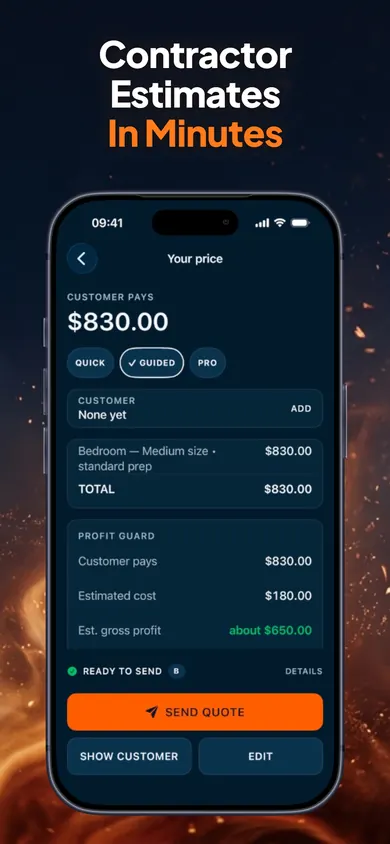
ScopeBid lets you build estimates with your own units, labor and material costs, then create PDF quotes and invoices. Reuse saved job pricing and compare estimated with actual costs. It works offline without an account.
Build your first quote with ScopeBid ↗The first 3 quotes are free, with full PDFs. Optional Pro is a monthly or annual subscription for unlimited quoting and the full workflow. This calculator is a separate companion; no automatic import or native board-foot feature is claimed.
Publisher disclosure: Honest Little Apps publishes ScopeBid and this companion. This is not an independent review. App details checked November 4, 2026.