Task picker wheel
Stuck choosing? Let the wheel pick.
When everything on the list feels equally urgent, choosing is the hard part. Type your tasks, spin, and start whichever one comes up. Any start beats ten more minutes of deciding.
Two to twelve tasks work best. Keep each one short so it fits on the wheel. Nothing you type is saved or sent.
Why a random pick works
When you have six things to do and no obvious first one, the delay is rarely about the tasks. It is the choosing. Each option has a reason to go first, so you compare them, feel the weight of all six, and end up doing none.
A wheel removes the comparison. It does not pick the best task; it picks a task, and in most lists the order matters far less than getting started. If the wheel lands on something and you feel a jolt of "no, not that one", you have also just learned which task you would rather do. Do that one. The wheel worked either way.
What to put on the wheel
- Things that can be done today. "Sort out finances" will never win a spin. "Pay the phone bill" can.
- Things of roughly equal urgency. If one task has a deadline in an hour, you do not need a wheel.
- Small first steps. For a big job, put the first ten minutes on the wheel: "open the document and write one sentence".
After the spin
Start within a minute, before the debate restarts. Set a timer for two minutes and do only the first physical action: open the file, fill the sink, find the phone number. Once you are moving, carrying on is much easier than starting was.
If you still cannot start
Then the task is too big or too vague, not too hard. Shrink it until it sounds almost silly: not "do the laundry" but "carry the basket to the machine". Trouble starting is common, and for many people with ADHD it is the main obstacle; smaller first steps help either way.

Picked one? Now start it.
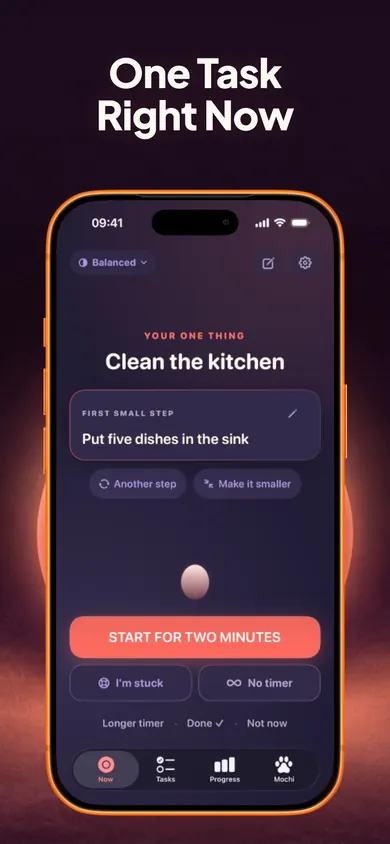
Now: ADHD Task Starter is an iPhone app built for anyone who finds starting hard, including many people with ADHD. It shows one task at a time with an editable first step and a two-minute starter.
Get Now on the App StoreFree to use with no account: the one-task screen, two-minute starter, Brain Dump, daily plan, parking lot and focus timers are free. Now Pro is an optional upgrade that adds routines and full history. General productivity information, not medical advice.
Honest Little Apps publishes both Now and this page. This is a separate browser tool and does not sync with the app. App details checked November 10, 2026.
On a computer? Open it on your iPhone