A vague note
“The kitchen cupboard is broken. The hinges must be faulty.”
The location is broad and the cause is a guess.
HOME REPAIR REQUEST BUILDER
“The cupboard is broken” leaves a lot to guess. Write down what you can actually see, where it happens and what you want to happen next.
Build a repair brief ↘After the visit: print a handoff sheet
No account · Nothing sent · No diagnosis
EXAMPLE / NOT A LIVE REQUEST
Kitchen cupboardSpecific enough to start a conversation.
YOUR NOTES → AN EDITABLE BRIEF
Use room labels rather than an address. Leave out access codes and other private details. This tool organizes your words; it does not assess urgency or decide how to fix an issue.
Copying or downloading does not send the request or book a visit. Review the preview first. The plain-text file contains your brief, so keep it private and choose any recipient yourself.
A BETTER FIRST MESSAGE
“The kitchen cupboard is broken. The hinges must be faulty.”
The location is broad and the cause is a guess.
“The lower cupboard beside the sink rubs the next drawer when opened. I first noticed it this week. Could you review it and let me know the next step?”
The recipient can identify the item and understand the request.
Location → item → observation → timing → effect on use → requested next step. Optional details can be left out when you do not know them. A photo reference can help distinguish two similar items, but this tool does not accept or inspect photos.
For a routine request, keep the brief about one issue. If you have several unrelated jobs, make separate briefs so replies and next steps stay attached to the right item.
Keep the original request beside the visitor’s account of the work. Add what you can observe during ordinary use, who will take the next step, and when they will check back.
Download the repair visit handoff (PDF, 1 page)
Example: The kitchen cupboard rubbed against the drawer. The visitor reported adjusting a hinge. The door still catches during normal use. Status: follow-up needed. The household coordinator will share the observation on Friday.

AFTER THE FIRST NOTE
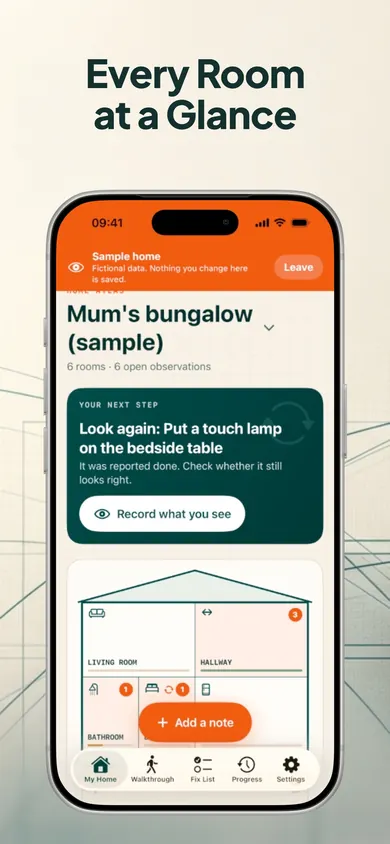
RoomMend organizes room notes, photo markers, fix statuses and later rechecks on your device. Keep before-and-after records and share room PDFs when you need a fuller handover.
Explore RoomMend on the App Store ↗Free tools and an optional one-time Plus purchase are described in the listing. This browser brief does not sync to the app. RoomMend organizes records; it does not inspect a home or verify that a repair is safe.
No. It is a general communication template, not a legal notice or a statement about repair responsibilities or deadlines.
No. The builder cannot assess a situation. Do not use it as an emergency reporting service or wait for it to decide whether you need immediate help.
The builder runs in your browser and does not submit or save these fields. Copying places the brief on your clipboard. Downloading saves a plain-text copy on your device; the file remains there after you clear the form. Review it before sharing through another app.
Yes. Select “Update on a previously reported issue” and include the earlier report date in the timing field if you know it. The tool does not check whether anyone received an earlier message.
Share the public guide. Your entries and results are not included.
Open the public guide link