Appointment text generator
The client text, already written
Pick the kind of message, fill in the appointment, choose a tone. Copy it straight into Messages. It tells you whether it fits in a single text.
Nothing you type is saved or sent anywhere. This page writes the text; you send it from your own phone.
You can type in the green bubble to change the wording. Anything in [square brackets] is for you to fill in.
What makes a client text work
A good appointment text answers four questions before the client has to ask: who is this, what is it for, when, and what do you want me to do. Leave one out and you get a reply asking for it, which is the back-and-forth the text was supposed to save.
Which message, and when
| Message | Send it | Why |
|---|---|---|
| Booking confirmed | As soon as you agree a time | Puts the details in writing while you both remember them |
| Reminder | The day before | Early enough to refill the slot if they cancel |
| See you today | Morning of, for afternoon bookings | Catches the people who forgot overnight |
| Reschedule | The moment you know | Always offer a specific new time, not "sometime next week" |
| Missed appointment | Same day | Keeps the door open without a lecture |
Keep it to one text
A standard SMS holds 160 characters. Go over and it is sent as linked parts of 153 characters each, which some phones still show out of order. One emoji or curly quote changes the encoding and cuts the limit to 70. The counter above checks both, so you can trim before you send.
Ask for a reply
"Reply YES to confirm" does more than a reminder alone. A client who has answered has looked at their calendar. A client who has not answered by the evening is the one worth a quick call.
A note on permission
Texting a client about an appointment they booked, on the number they gave you for it, is ordinary service. Promotional texts are different and have their own consent rules in most places, so keep offers out of these messages.

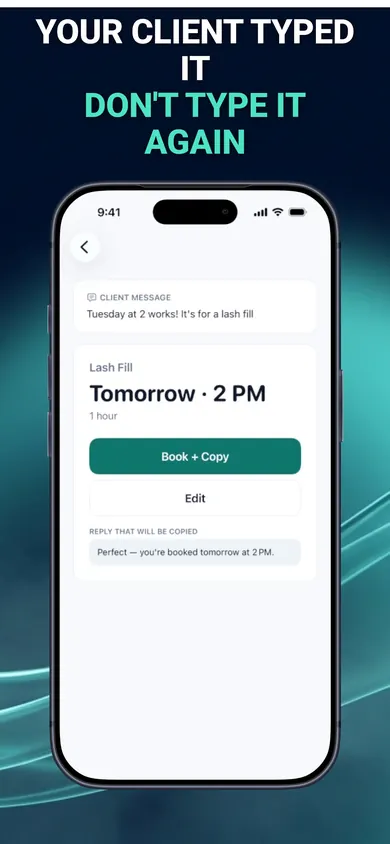
Your client typed it. Don't type it again.
BookingSolved: Client Booking is an iPhone app for people who book clients by text. It turns a client's message into a proposed Apple Calendar appointment and an editable reply, using service presets with your durations and buffers. You review every change before approving it.
Get BookingSolved on the App StoreThe first three completed actions are free; Pro is an optional auto-renewing subscription for unlimited actions. Check the App Store listing for current details. This generator is a separate browser tool: it does not read your calendar, contact clients or sync with the app.
Honest Little Apps publishes both BookingSolved and this page. App details checked November 10, 2026.
On a computer? Open it on your iPhone