Return deadline calculator
What is the last day you can return it?
Thirty days from when, exactly? Put in the date and the return period. You get the deadline, a countdown, and a reminder for your calendar before it passes.
Your purchase
Nothing you type is saved or sent. The reminder file is made on your device.
- Purchased
- Reminder
- Take it back by
- Return period endsAfter this date the seller can refuse the return.
The calendar file (.ics) opens in Apple Calendar, Google Calendar and Outlook. This counts calendar days from the date you entered; the seller's own policy decides what counts.
How return periods are counted
"Within 30 days" normally means the 30th day after the starting date is the last day. Buy on the 3rd and a 30-day period runs to the 2nd or 3rd of the next month, depending on its length. The calculator adds the days to your starting date and shows that final day.
| Bought on November 10 | Last day to return |
|---|---|
| 14-day return period | November 24 |
| 30-day return period | December 10 |
| 60-day return period | January 9 |
| 90-day return period | February 8 |
Four things that move the deadline
- Purchase date or delivery date. Many online sellers start the clock when the parcel arrives, not when you ordered. The policy page or your order confirmation says which.
- Postmarked or received. For mail returns, some sellers need the parcel back in their warehouse by the deadline, not just posted. That is why the mail option above brings your "send it by" date forward.
- Holiday extensions. Around the end of the year many retailers extend returns on gifts into January. It varies every season, so check the receipt.
- Exceptions. Opened electronics, clearance items, custom orders and marketplace sellers often have shorter periods or none.
Make the return easy for future you
Keep the box and tags until you are sure. Photograph the receipt the day you buy; thermal paper fades. And decide early: the best time to judge whether something is worth keeping is the week you get it, not the night before the deadline.

The return is one deadline. You have more.
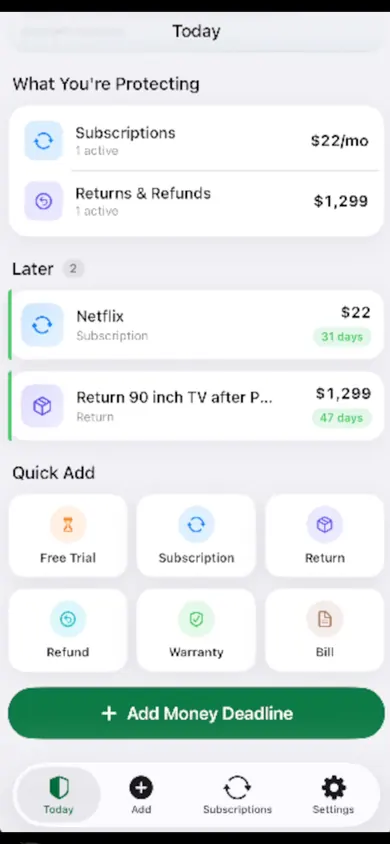
MoneyShield: Sub Tracker is an iPhone app for the dates that cost money when you miss them. It tracks subscriptions, billing frequencies and upcoming charges, with reminders and a guided review, and its App Store screenshots show quick-add buttons for a free trial, return, refund, warranty and bill.
Get MoneyShield on the App StoreOptional Plus purchases are available; check the App Store for current terms. MoneyShield does not return, cancel or claim anything for you.
Honest Little Apps publishes both MoneyShield and this page. This is a separate browser tool and does not sync with the app. App details checked November 10, 2026.
On a computer? Open it on your iPhone