FROM VAGUE GUILT TO ONE CLEAR PATTERN
When does “just checking” bunch up?
Ten scattered checks and ten checks in one hour are different patterns. Paste the times you noted today and see where your attention kept returning to the phone.
Try the free tool ↓Free manual-log tool. It cannot read your device, measure screen time or tell whether a check was useful.
THE INTERACTIVE WORKSPACE
Map one day of phone checks.
Free includes timed Passes, automatic relocking and one Focus Zone. This browser log does not sync to the app.
Each row counts checks from that hour up to, but not including, the next hour.
USE IT IN REAL LIFE
Make the next rule smaller than the problem.
- Record times, not judgments. Write down when you check. Do not log message content, contacts or anything private. This page needs only times.
- Look for context. A cluster may be a work task, a conversation or aimless reopening. The chart cannot distinguish them. You can.
- Protect one app in one situation. If the cluster is unwanted, start with one distracting app and keep essentials available. Write down the task you will return to.
- Check another day. A single log is a snapshot. It is not a diagnosis or proof that your habits have changed.
How the busiest window is chosen
The tool checks 60-minute windows beginning at each logged time. For times after 23:00, it uses 23:00–24:00 so the window stays inside your day. The start is included; the end is excluded. When several candidate windows tie, the earliest appears first. You can choose any tied window for your planning note. Some windows may overlap, so their counts cannot be added together. The hourly chart uses fixed clock hours, so its largest row can differ from the busiest rolling window.
Example: checks at 20:50 and 21:20 fit in the same observed-start window, but appear in different hourly rows. A check exactly at 21:50 is outside a window starting at 20:50. Counts do not imply minutes used or minutes saved.
THE NEXT STEP
Give repeated openings a deliberate stopping point.
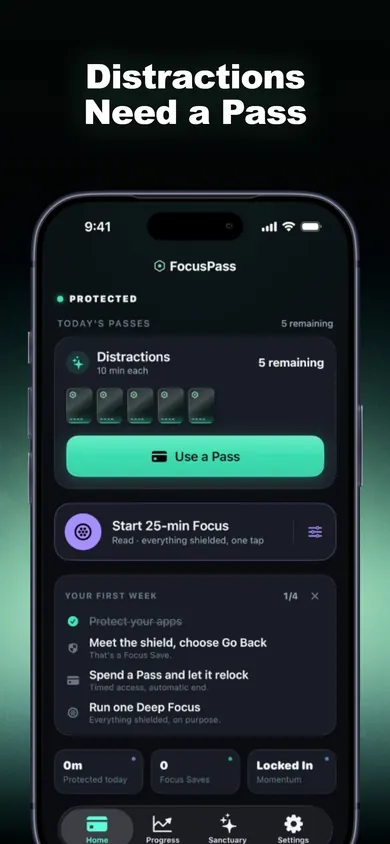
FocusPass shields the apps you choose. When you need access, request a timed Pass; protection returns when the Pass ends. Its on-device Pass heatmap can show when you reach for protected apps, so you can review patterns without keeping this manual log.
Get FocusPass and try the free tools ↗Free includes timed Passes, automatic relocking, one Wallet, one Focus Zone and 7-day insights. Pro is a paid auto-renewing subscription with additional rules, Zones and full history. Local prices appear before purchase. iOS/iPadOS 18+. The app’s Pass history is not a record of every phone pickup.
Publisher disclosure: Honest Little Apps publishes FocusPass and this companion. This is not an independent review. App details checked November 4, 2026.
Useful for someone else?
Share the public guide. Your entries and results are not included.
Open the public guide link