Pomodoro timer
Twenty-five minutes. One thing.
Name the task, press start and work until the chime. The timer moves you through focus rounds and breaks on its own, and the tab title shows the time left so you can keep this page in the background.
Ready when you are.
Keep this tab open; the time left shows in the tab title. Counts reset when you close the page.
How the Pomodoro Technique works
- Choose one task.
- Work on it, and only it, for 25 minutes.
- When the timer rings, stop and take a 5-minute break.
- After four rounds, take a longer break of 15 to 30 minutes.
Francesco Cirillo developed the method as a university student in the late 1980s and named it after the tomato-shaped kitchen timer he used; pomodoro is Italian for tomato. Each 25-minute round is one pomodoro.
Why something this simple helps
Twenty-five minutes is short enough to start. "Work on the report" has no edge to it; "work on the report until the chime" does. The break is part of the method too: knowing a rest is coming makes it easier to ignore the urge to check something right now.
Rules that make it work
- A round is indivisible. If you break off to answer a message, the round does not count. Jot the distraction on paper and go back.
- Take the break. Stand up, look out of a window, get water. A break spent scrolling is not much of a break.
- Size tasks in rounds. Anything bigger than about five rounds should be split; anything tiny can be batched with others.
- Change the lengths if you need to. 50 / 10 suits deep work that takes a while to get into. 15 / 3 suits days when starting is the hard part.
The weak point
A timer tells you when to work. It does nothing about the phone lying next to the keyboard, and one glance during a round is usually the end of it. Put the phone in another room, or block the apps that pull at you for the length of the round.
The timer keeps time. This keeps the apps shut.
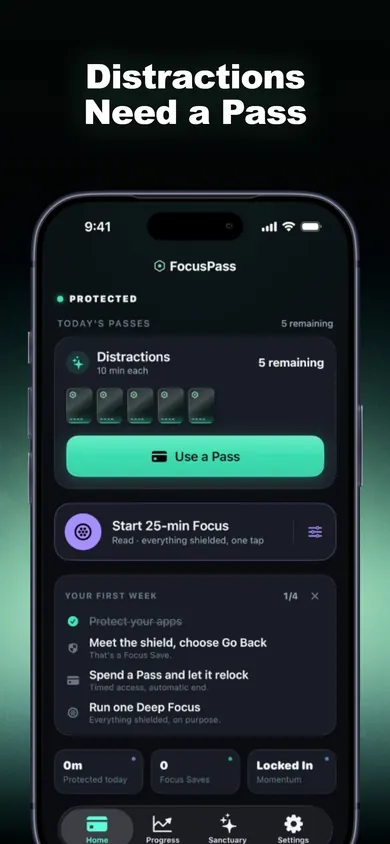
FocusPass: App Blocker is an iPhone app that shields the apps you choose using Apple's Screen Time picker. When you need one, you ask for a short timed Pass and it relocks on its own. Its listing says no account and no ads.
Get FocusPass on the App StoreThe free tier includes shields, timed Passes, automatic relocking, one Wallet, one Focus Zone and one Deep Focus session a day. Pro is an optional auto-renewing subscription. iOS 18 or later; check the App Store for current terms.
Honest Little Apps publishes both FocusPass and this page. This is a separate browser tool and does not sync with the app. App details checked November 10, 2026.
On a computer? Open it on your iPhone