Fictional example
A group organizer needs to answer one message in a shielded app. She chooses a five-minute Pass, replies, and ends the Pass early. The next time she opens that app, the shield offers the same two choices.
Honest Little Apps · Seven-day setup guide
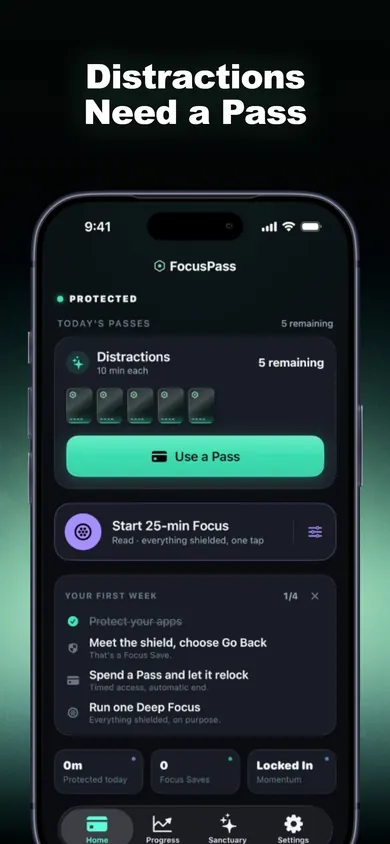
Want a pause before opening a social app while keeping a map or sign-in tool handy? Choose apps, categories or websites with Apple’s Screen Time picker. A timed Pass opens a selected app and relocks it when the Pass ends. This is selective shielding rather than a lock on the entire phone.
Your choices in Apple’s Screen Time picker determine which apps, categories or websites receive a shield. Review Essentials and test the tools you rely on before starting a session. Parent or organization Screen Time settings take precedence.
The shield offers Go Back or Use a Pass. With a Pass you choose a duration. The relock is scheduled before the app opens, so protection can resume when that time ends.
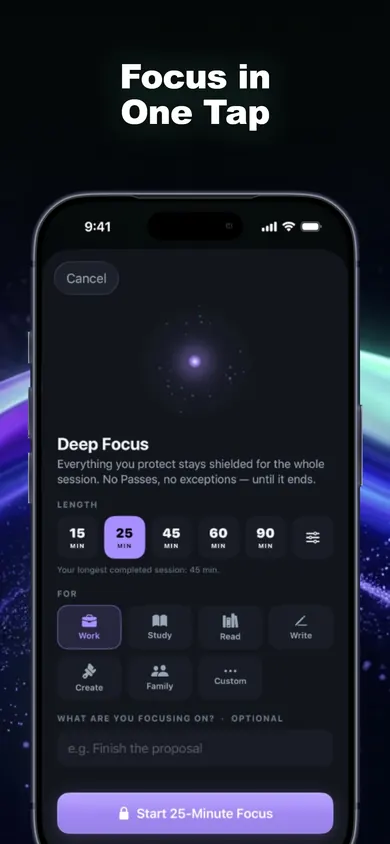
The free tier includes shields, timed Passes, automatic relocking, one Wallet, one Focus Zone and one Deep Focus session a day. Pro adds more Wallets and Zones, Task Access, unlimited Deep Focus and full history. Check current terms in the App Store.
The seven checkboxes record which steps you reviewed in this browser. They do not read or change your device settings or measure ADHD symptoms.
Choose one distracting app. Leave any category that contains an essential tool unselected until you have checked what it includes. Open the target to see its shield, then open the tool you need. If either behaves unexpectedly, use Protection Check in FocusPass before expanding the rule.
Day 1Which app do I want to protect?
Select one app you often open without a specific purpose. Open it once and check that the shield appears.
Day 2How long should a Pass last?
Pick a real task, such as replying to one message. Choose a Pass length that fits the task. End the Pass early if you finish.
Day 3What if I opened the app by habit?
Choose Go Back to record a Focus Save. The count records that choice, not minutes saved.
Day 4What happens when a Pass ends?
Check that the shield returns. If you want a gap between Passes, review the Reset Window. Task Access for a specific job when you are out of Passes is a Pro feature.
Day 5Which tools do I still need?
Review Essentials. Test your map or sign-in workflow before a session. Keep the first Focus Zone narrow until it behaves as you intended.
Day 6How can I try Deep Focus?
The free tier includes one Deep Focus session per day. Choose a session length that fits your schedule and review the Focus Rescue option before starting.
Day 7What would I change next week?
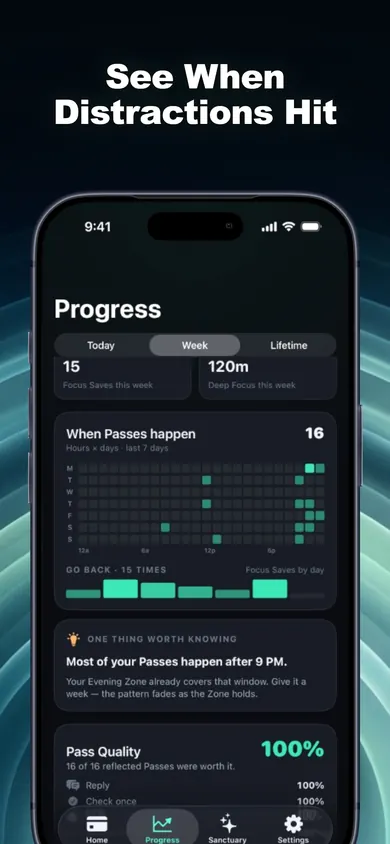
Use the seven-day insights to review your own pattern. If the data are sparse, keep the current setup or adjust one rule based on a specific problem you noticed.
Fictional example
A group organizer needs to answer one message in a shielded app. She chooses a five-minute Pass, replies, and ends the Pass early. The next time she opens that app, the shield offers the same two choices.
Start with free shields and timed Passes. Review optional Pro features and purchase terms in the App Store.
Share the public guide. Your entries and results are not included.
Open the public guide link