Free printable
Make a weekly medication chart you can tick off
Add each medicine, choose when it is taken, and print one clear sheet for the fridge or the pill drawer. It takes about two minutes, and nothing you type leaves this page.
1. Add the medicines
2. Check it, then print
Medication chart
Not sure what it looks like? Press Show me an example.
| When | Medicine | Mon | Tue | Wed | Thu | Fri | Sat | Sun |
|---|
Prints on one landscape page. To save it as a PDF, choose "Save as PDF" in the print window. Nothing is stored: refreshing the page clears the chart.
Getting the chart right
Three things that make a paper chart work
- One row per dose. A medicine taken morning and night gets two rows, so a missed evening dose is obvious at a glance instead of hidden behind a morning tick.
- Tick after, never before. The box means "taken", not "set out". If two people help with medicines, agree that whoever gives the dose ticks the box.
- Keep it where the medicines are. A chart in a drawer across the house does not get filled in. Tape it inside a cupboard door or keep it with the pill organiser.
When to print a fresh one
Start a new sheet each week, and rebuild the chart whenever a prescription changes: a new medicine, a different strength, or one that has been stopped. Keep the old sheets for a while. A few weeks of ticks is useful to bring to an appointment when someone asks how the medicines have been going.
Where paper runs out
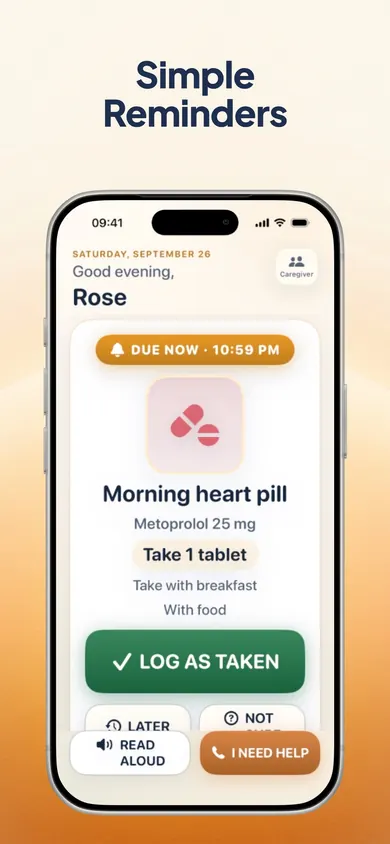
A chart records what happened. It cannot tap you on the shoulder at 9 pm, and a daughter in another city cannot see it. If doses are being missed because nobody remembered, or if family members keep phoning to ask "did Dad take his tablets?", that is the gap a reminder app fills.

Paper can't remind anyone. DoseBeacon can.
DoseBeacon: Pill Reminder is an iPhone and iPad app with large-text reminders and a shared history of reported doses that approved caregivers can see. Reminders work offline; sharing needs a connection.
Get DoseBeacon on the App StoreFree download with in-app purchases. Requires iOS 18 or later. The listed free tier covers one patient, two active medications and one helper, with history, reports and an emergency card. DoseBeacon Family, a paid upgrade, adds more medications and caregivers. Check the App Store for current prices.
A logged dose is a report, not proof that a medicine was taken. DoseBeacon is a reminder and record-keeping app, not a medical device or a source of dosing advice. Honest Little Apps publishes both the app and this page. App details checked November 10, 2026.
On a computer? Open it on your iPhone