Map the smallest real window
If five minutes is the reliable window, choose five. The tool reports your choice without upgrading it.
GLP-1 strength training weekly planner
Start with time and equipment—not an idealized routine. Mark the windows that already exist. Take the resulting constraint map into whatever plan you choose.
An unavailable day is not a failed day. Leaving it blank gives you a more honest map than promising time you do not have.
Seven-day capacity map
Select the amount of time you already expect to have on each day. Then mark equipment you could access. This page summarizes your selections; it does not choose exercises, intensity or frequency.
Use the map honestly
The goal is not to fill every box. It is to prevent a routine from being built on time, space or equipment that does not exist.
If five minutes is the reliable window, choose five. The tool reports your choice without upgrading it.
Select equipment you can actually reach this week. Owning equipment and having it available are different facts.
Use the summary when choosing or discussing a routine. A plan that ignores the map has not solved the scheduling problem.
What this tool can do
What it cannot do
This page does not assess symptoms, medication, injury, readiness, nutrition needs or exercise suitability. It does not prescribe movements, duration, intensity or frequency. Follow your clinician's instructions. If you have a medical condition, recent injury or fracture, dizziness or pain, check with your clinician before exercising.
From the iPhone app
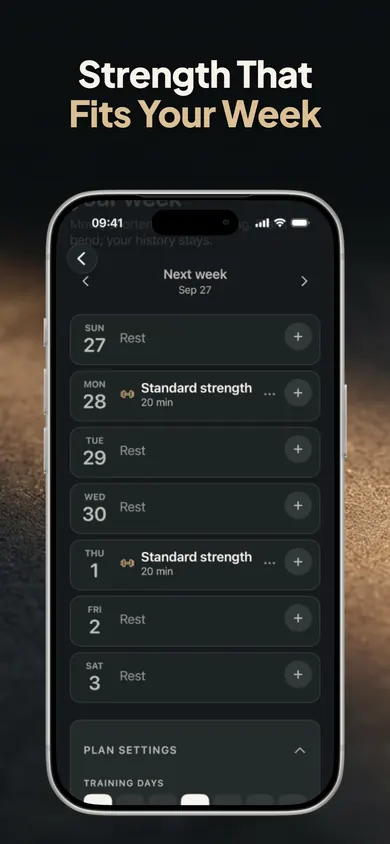
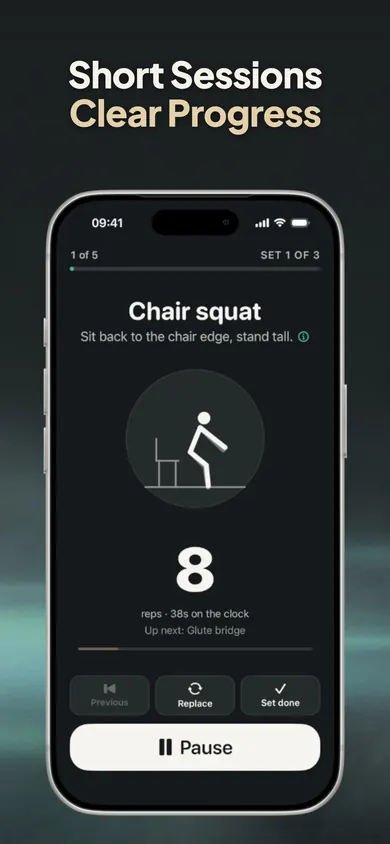
These two images come from Sturdy’s App Store listing. The weekly map above is a separate browser tool.

From the same publisher
Sturdy: Strength on GLP-1 is a private weekly planner, guided-session and protein-log app for adults using prescribed weight-management medication. The current free tier lists weekly planning, all three workout types, the core movement library, sessions up to 30 minutes, protein logging, medication records, check-ins, 30-day summaries and data export. Optional Pro adds listed extras including gym-equipment movements, sessions up to 45 minutes and longer progress summaries.
View Sturdy on the App StoreFree to download with in-app purchases; iPhone and iPad require iOS/iPadOS 18 or later. Eligible customers may see a trial on the yearly subscription; check the App Store for current pricing, eligibility and renewal terms. The browser map is an independent planning exercise. A downloaded note can be read separately and cannot be imported into Sturdy. Sturdy is an organizing and self-tracking tool, not medical advice.
Publisher disclosure: Honest Little Apps publishes Sturdy and this companion resource. This is not an independent review. App facts checked against the US App Store on November 4, 2026.
Share the public guide. Your entries and results are not included.
Open the public guide link