Check the label.
Write the date.
The kit is packed. Now keep track of what needs another look. A one-page sheet puts the item, its label and the next action in the same row.
Download the free trackerPDF · one Letter-size page · ten blank rows · no email required
Use your printer's fit-to-page option for A4.
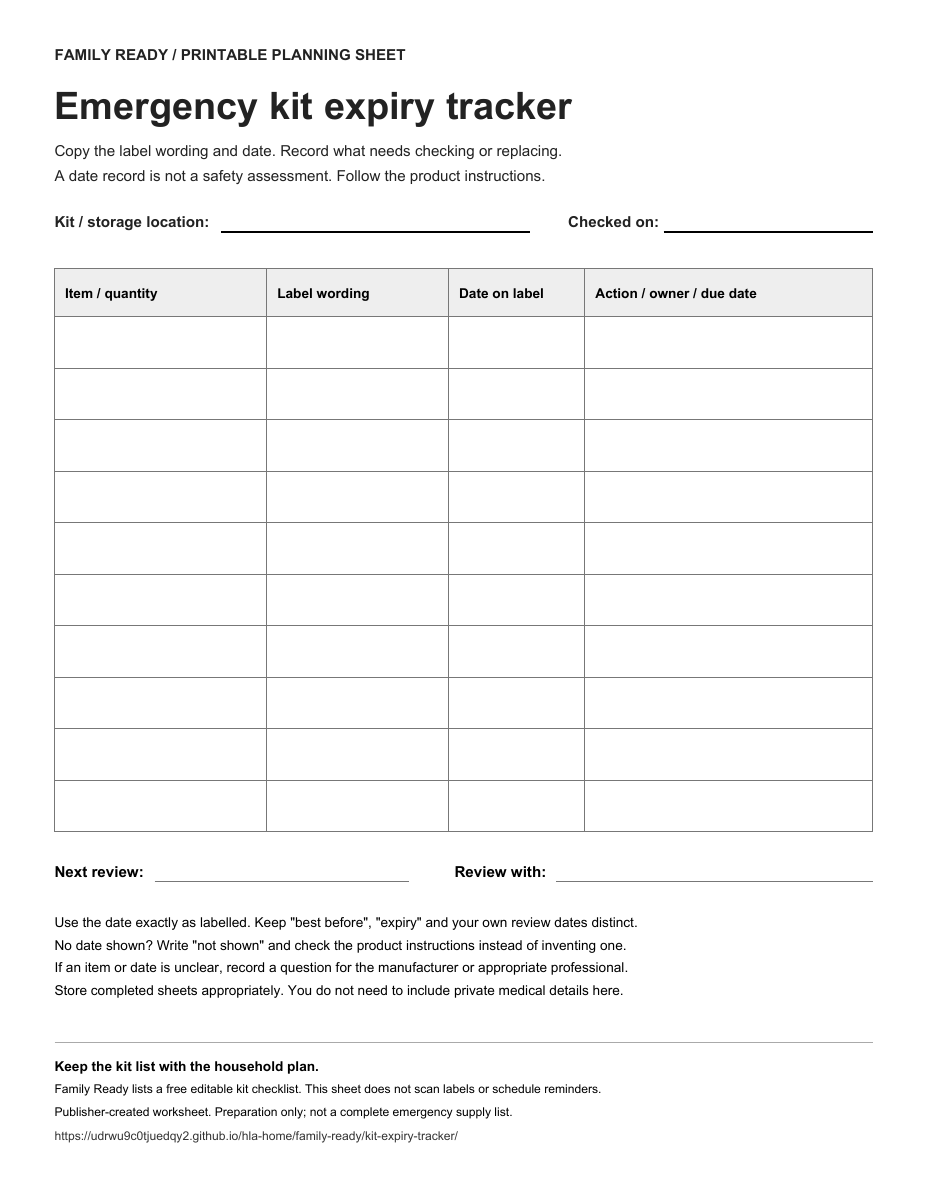
Build a kit-review list before you print.
Record the label wording exactly as printed, keep the label date separate from your next action, then prepare a complete review summary. Nothing entered here is uploaded or saved by this page.
Emergency kit review list
| Item and quantity | Label wording | Date shown on label | Next action or question | Row |
|---|
Your complete review summary
Review the text before copying, downloading or printing. This is a record of what you entered, not a safety approval.
Privacy note: this tool uses no account, server submission, local storage or URL sharing. Refreshing or closing the page clears the entries. A downloaded file or printout is under your control.
Keep three things separate.
The label's words
Copy the wording as printed, such as “best before” or “expiry.” Don't replace it with a different description.
The label's date
Record the date exactly as shown. If a label gives only a month and year, keep that format rather than inventing a day.
Your next action
Use a separate space for checking instructions, replacing an item or asking a question. Your review deadline is not the product's expiry date.
One shelf.
One sheet.
Start there.
You don't need to inventory the whole household in one sitting. Start with the kit or container you can review now.
- Write where this kit is kept.Mark the check date at the top so the sheet has context later.
- Read each item label.Record the item and quantity, exact date wording and date. Use “not shown” if no date is printed.
- Leave an actionable note.For an unclear label, write who will check the instructions and when. Don't treat an empty action column as a safety approval.
- Choose the next review.Keep the completed sheet with the kit records. Revisit it when items are used, replaced or household needs change.
Three easy mistakes to avoid.
“There is no date, so I should invent one.”
Write “not shown” and consult the product's instructions. A blank field doesn't tell you how long an item will remain suitable. For medical products or medications, ask an appropriate health professional about questions rather than deriving advice from this worksheet.
“All date labels mean the same thing.”
This tracker keeps the label wording alongside the date so you can preserve the distinction. It does not interpret product labels or certify whether an item can be used. Follow the applicable product instructions.
“I checked the date, so the whole kit is ready.”
This is only a maintenance record. It does not verify quantities, storage conditions, product recalls, household requirements or the completeness of an emergency plan.
Canada's emergency-kit guidance recommends checking expiry dates and using seasonal changes as a prompt to update supplies. The worksheet turns that review into a written task list; it does not replace official preparedness guidance.
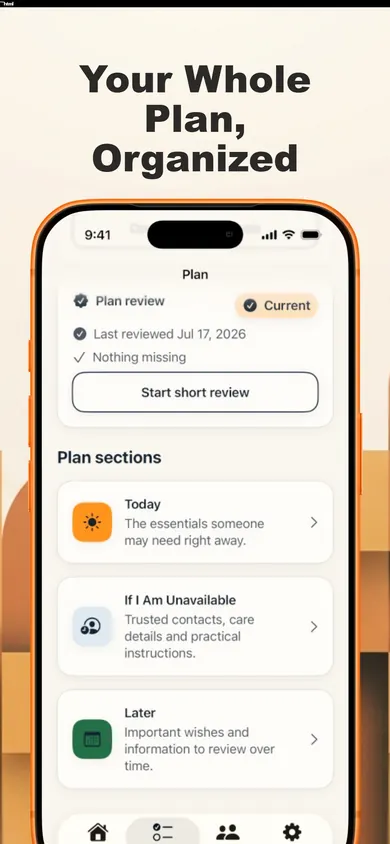
Family Ready keeps more than a supply list.
The app lists a free editable kit checklist alongside an Emergency Card, household plan, offline access and a dated Emergency Snapshot PDF.
Family Ready Plus adds features including important-date reminders, guided reviews, trusted-person sharing and extra printable packs. The app listing does not promise automatic expiry scanning or verification of your supplies.
Explore Family ReadyiPhone and iPad · iOS/iPadOS 18 or later · Free with optional in-app purchases
Make the next review easier to start.
Download the blank sheet, record what the labels actually say, and keep a clear next-action list.
Get the one-page PDFNo household details are entered on this website. Store completed sheets appropriately.
Sources and scope
Government of Canada: Emergency kit checklist, especially “Managing emergency supplies and kits”; checked 4 November 2026. The worksheet design and instructions are publisher-created, not an official government form.
Family Ready App Store listing, version 1.2.0: feature and free/Plus boundaries. Optional sharing can upload selected information; review the app's privacy information before using it.
More household planning tools
- Check whether your offline emergency card can be reachedFour access questions for no internet, a locked phone, a missing device or a trusted helper, plus three first-week checkpoints.
- Family Records Locator Checklist: Can the Right Person Find It?Check whether four kinds of household records have a known location, clear access and a current copy. Get a practical next-action list without entering private details.
- 7-day family emergency plan challenge (printable)A 7-day family emergency plan challenge for a new home: one 20-minute task a day, a free printable tracker, a Ready.gov kit list and an offline card.
- 27 Household Planning Judgment ChallengesPractise clearer household records, shared responsibilities and source checking through fictional family planning scenarios.
Can someone reach the wider plan?
The kit sheet records supplies. The emergency contact card needs its own access check. Try four offline-card access scenarios before relying on a phone-only copy.
Useful for someone else?
Share the public guide. Your entries and results are not included.
Open the public guide link