TWO SHIFTS / ONE TIMELINE
One shift ends at 6.
The next starts at 5:30.
That is a 30-minute overlap—even when the first shift began yesterday. Compare the dates and times before copying both entries into a work log.
Wall-clock comparison in one time zone. Do not use across a daylight-saving change or travel between time zones. This is not a payroll or scheduling-compliance decision.
30 MINUTES IN COMMON
Compare two complete shift intervals
Choose the actual end date for each shift. The tool never assumes that an earlier end time means the following day. Example dates are illustrative.
MAKE THE RESULT USEFUL
Overlap is a flag to investigate, not hours to delete.
Check whether the entries describe separate shifts, a corrected time, an on-call period or duplicate records. An overlap alone cannot tell you which entry is correct or what should be paid.
If one shift ends exactly when the other starts, the result is touching, with zero gap. This is different from an overlap and does not prove that the schedule allows enough travel, breaks or rest.
For an overnight shift, include both dates. On a clock-change night, compare employer records with explicit time-zone offsets instead of relying on this wall-clock tool.

THE NEXT STEP
Keep the confirmed shift, then compare the pay period.
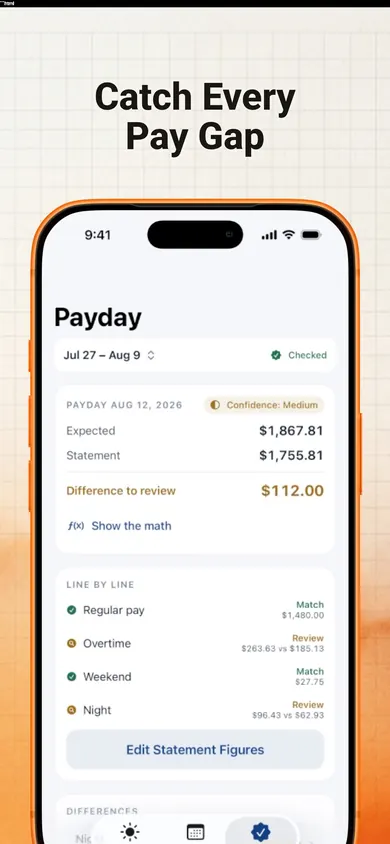
EarnCheck tracks shifts, including overnight entries, estimates gross pay and helps compare a pay statement against recorded work. Resolve uncertain times before relying on an estimate.
Get EarnCheck on the App Store ↗One job and the first complete pay period are free. Pro adds more pay periods, jobs, rules and exports. This checker does not calculate wages, taxes or legal entitlements.
Publisher disclosure: Honest Little Apps publishes EarnCheck and this companion resource. This is not an independent review. App details checked November 4, 2026.
Keep a clear record when a shift changes.
Use the shift swap request template and record checklist to distinguish the proposed change, confirmation and hours actually worked.