Updated November 2026 · Seven nights, one rule each, printable tracker

Try an evening without scrolling.Start with one night.

Pick a cutoff that fits your evening. Use these seven check-ins on paper or in this browser. The optional iPhone app can shield selected distractions and relock them after a timed Pass.

0 of 7 nightsTick a night when it is done. Checkmarks stay in this browser.

The checklist saves checkmarks in this browser when storage is available. The printable has space for your notes.

A ten-minute reply at 9:12

Fictional example

Sam wants to send one reply without spending the evening in a feed. At 9:12, Sam writes “answer the pickup question,” opens the app and sets a ten-minute limit. At 9:22, the visit is over. On the tracker, Sam records what actually happened: one reply sent, then four minutes spent scrolling.

The next evening, Sam opens the conversation directly. Comparing the two entries gives Sam a specific choice for tomorrow.

Choose how to run the evening

Paper and a timer

Write the task before opening the app. When the timer rings, record what you did and decide whether to close it.

iPhone Downtime

Apple’s Screen Time settings let you schedule Downtime and choose which apps are always allowed. Check the setup against your evening commitments.

FocusPass

Set a protected window for selected apps. Going back records a Focus Save. Taking a timed Pass opens the app temporarily and relocks it when time is up.
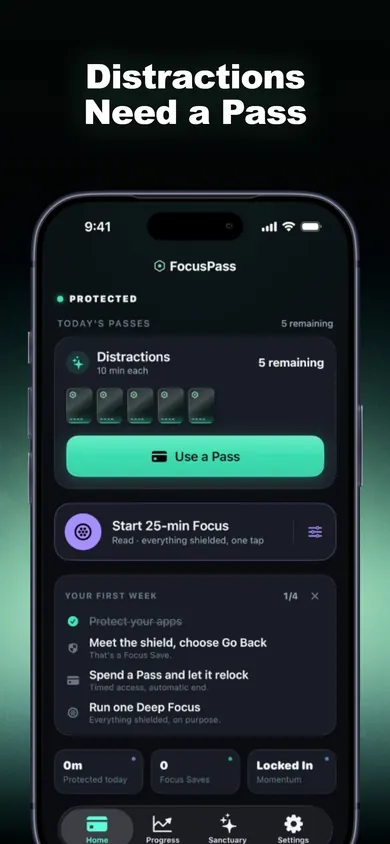
FocusPass home screen showing protected apps, 5 passes remaining and a Use a Pass button
Protected. Five Passes today. Use one on purpose or go back.
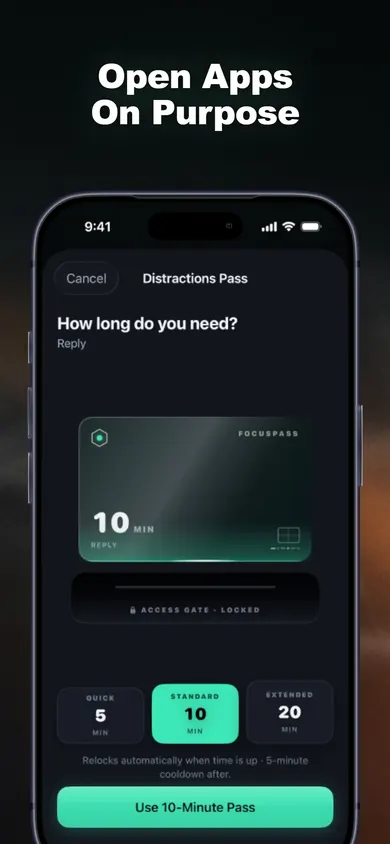
FocusPass Distractions Pass screen asking how long do you need with a 10-minute pass
Ten minutes, with a reason, then it relocks itself.
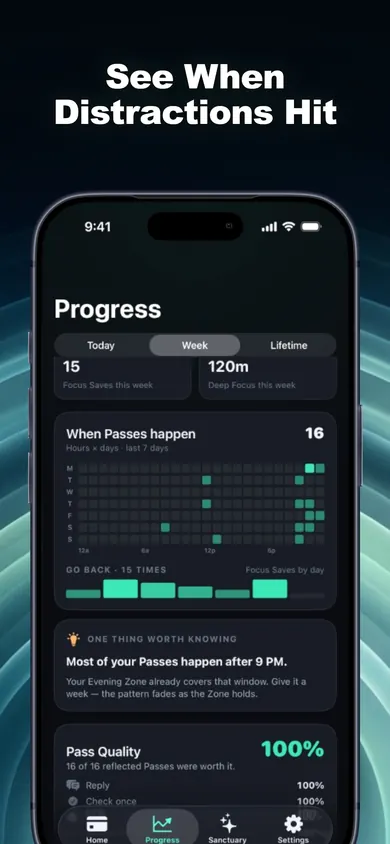
FocusPass progress heatmap showing when passes happen by hour, with the note most of your passes happen after 9 PM
Example of an hourly Pass pattern when the app has enough data.
See FocusPass on the App Store

Questions people ask

Can I complete this without an app?

Yes. Each night has one observation or decision you can record on paper. The browser checkmarks are optional.

Why 9 pm?

It is a suggested starting time. If you want one hour before a 10:30 pm bedtime, use 9:30 pm. Choose a different time if evening work, caregiving or calls need to come first.

Does FocusPass block the whole phone?

You choose which apps, websites or categories to shield. Review the tools you need and test access before your evening window.

What happens when a Pass ends?

FocusPass relocks the protected app when the timed Pass expires. You can instead choose Go Back at the shield, which records a Focus Save.

What is included in FocusPass for free?

The free tier includes native shields, timed Passes, automatic relocking, one Wallet, one Focus Zone and seven-day insights. Pro is an optional subscription. It adds Task Access, more Zones and full history.

Where are my checklist marks saved?

The browser stores checkmarks locally when storage is available. Clearing site data removes them. The paper tracker and the iPhone app keep separate records.

Keep the evening rule on iPhone

FocusPass is free to download with an optional Pro subscription. Set one Focus Zone for the evening and use timed Passes for the apps you select.

Download on the App Store

Useful for someone else?

Share the public guide. Your entries and results are not included.

Open the public guide link